Vibe Coding my Responsible Digital Health Checker as a local prototype
The messy, honest account of building a Flask app that assesses AI health features against EU AI Act and GDNG regulations — burning sheep, haiku debugging, and all.
After vibe coding the demo project (previous post), I started to bring my own project to life.
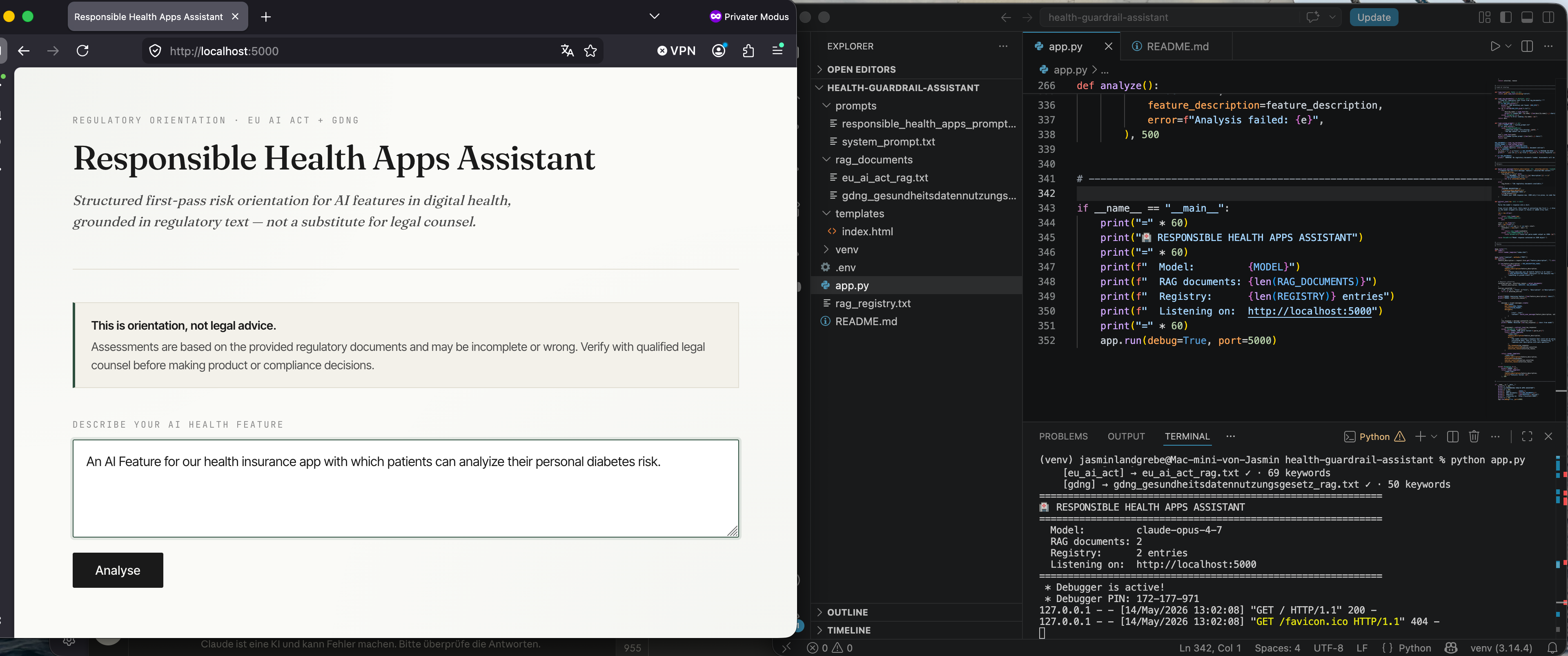
The thing I built: a Flask app that takes a description of an AI health feature and returns a structured regulatory assessment against the EU AI Act and the GDNG. Risk tier, citation, 2×2 risk matrix, priority actions, open questions. Grounded in two RAG documents I prepared from the actual regulatory texts.
The setup: I got everything running. Claude refused to use Haiku for reasons I never figured out — maybe an API key thing, maybe something else. I moved on with Opus and didn’t look back.
The vibe coding experience: Claude has two modes. Mode one: useful collaborator. Mode two: a sheep on fire running across the field rewriting things I didn’t ask it to touch. I had to roll back more than once and remind it to stay on the plan. Lesson learned — ask for the plan first, every time, before any code. Saying “code it” without a plan is how you end up with a burning sheep.
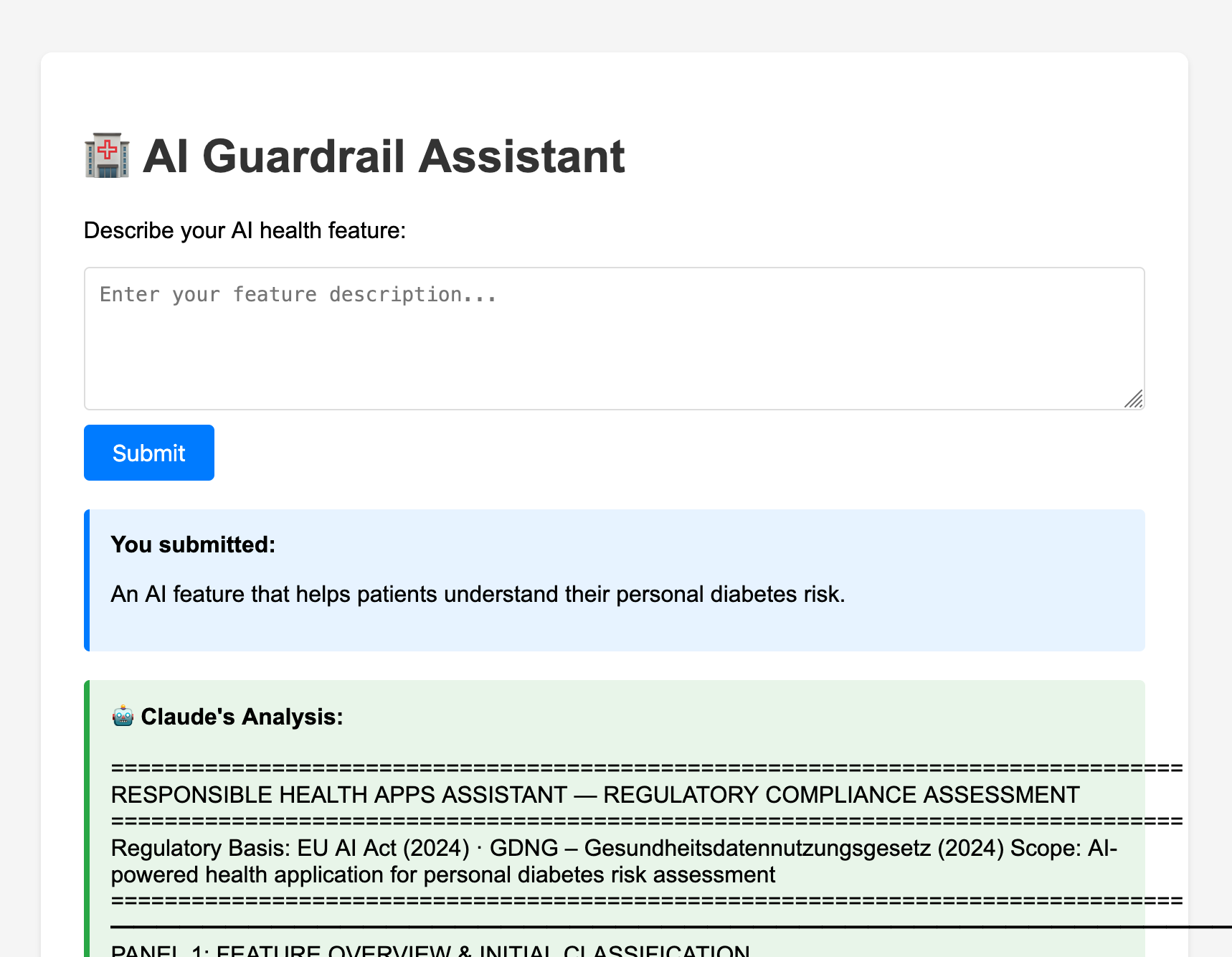
The first output was confused because three documents were fighting each other: a system prompt, an output template, and the HTML. They each described the assistant doing slightly different things, so the report came out as prose with a fake structure painted on top in HTML, including a hardcoded “Key Requirements” checklist that rendered the same five bullet points regardless of what the user submitted. Not great for a tool whose whole premise is responsible apps.
First result:
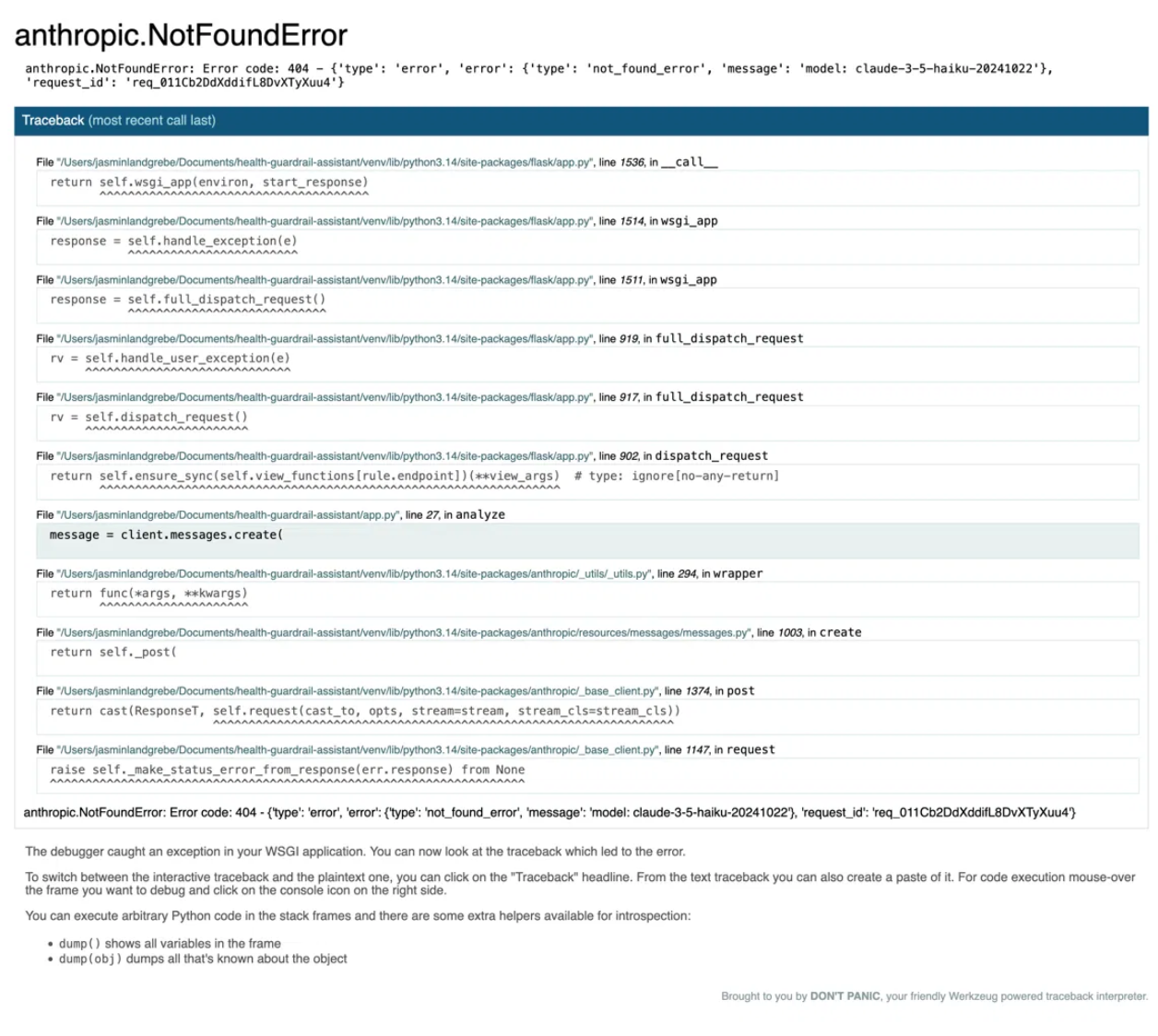
Debugging a lot around trying to use the Haiku model, but it was not found — we had a conversation like I would have with a 5-year-old toddler. “It is there” — “No, it isn’t” — “ah, sorry, but now it should be there” — “Nope, still not”.
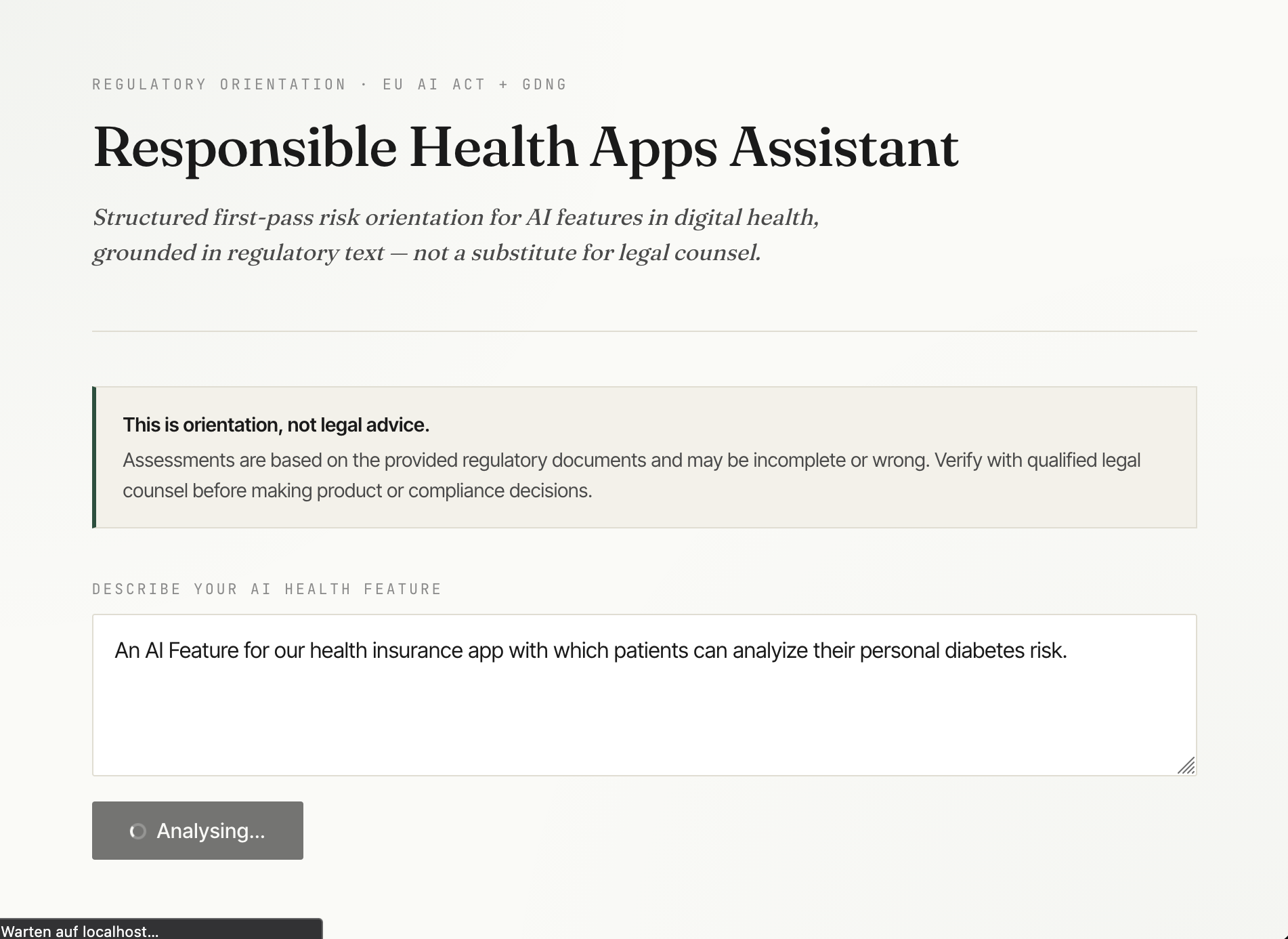
I asked Claude to judge the whole project and it suggested a fix that worked — but it deleted the RAG registry as “overengineering for two documents.” Which, fair, but also: the registry is literally what Week 6 was teaching. So I did another round to put it back in properly, with keyword-based selection and a “Sources consulted” block in the UI so you can see which documents the registry pulled for each query. That part now does something real.
Second result:
Complete, and very long (too long) report:
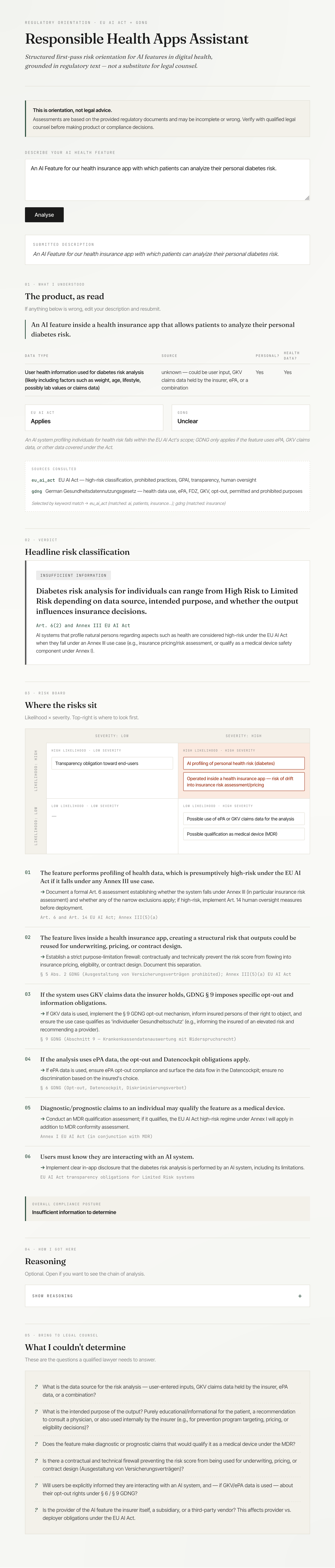
What works in the current version:
- Risk tier is driven by the model’s JSON, not a substring search in the HTML
- The hardcoded checklist is gone
- The RAG registry actually fires, and you can see which documents it selected
- The model returns structured JSON which Python parses and renders as components
- The § 5 Abs. 2 GDNG prohibited-purpose catch works (tested on the ePA-for-insurance case)
What I would change if I had another week: the report still repeats itself when one finding dominates. The verdict, the matrix, the priority actions, and the reasoning all end up saying the same thing in slightly different words.
Honesty section: I’d be lying if I said I understood every line. I understood the design decisions and I made the calls — when to keep the registry, when to drop the screen-level analysis, when to map “Yes” to “Applies” in the template instead of changing the schema. The code itself, I co-wrote with Claude and verified by running it and reading the output.
And: The version is now not tested with users. And I think I currently see sooooo many flaws in it, that I am afraid to test it like this. It is just much too complicated 😅 Honestly, I fear to make this agentic now, in the current version. But let’s do one step at a time.